In the era of remote work, Azure Virtual Desktop (AVD) and FSLogix are powerful tools. Together, they let many users share a single virtual machine (VM) while each person keeps their own profile, settings and files. You use resources better and pay for fewer VMs, without the desktop ever feeling shared.
Fewer VMs to pay for
Windows 11 Enterprise multi-session lets several users share one host.
Personal profiles
FSLogix gives every user their own profile that follows them to any host.
Built to scale
Add hosts as you grow, and let autoscale cut costs after hours.
How it works
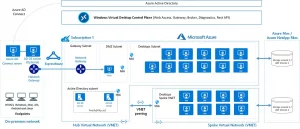
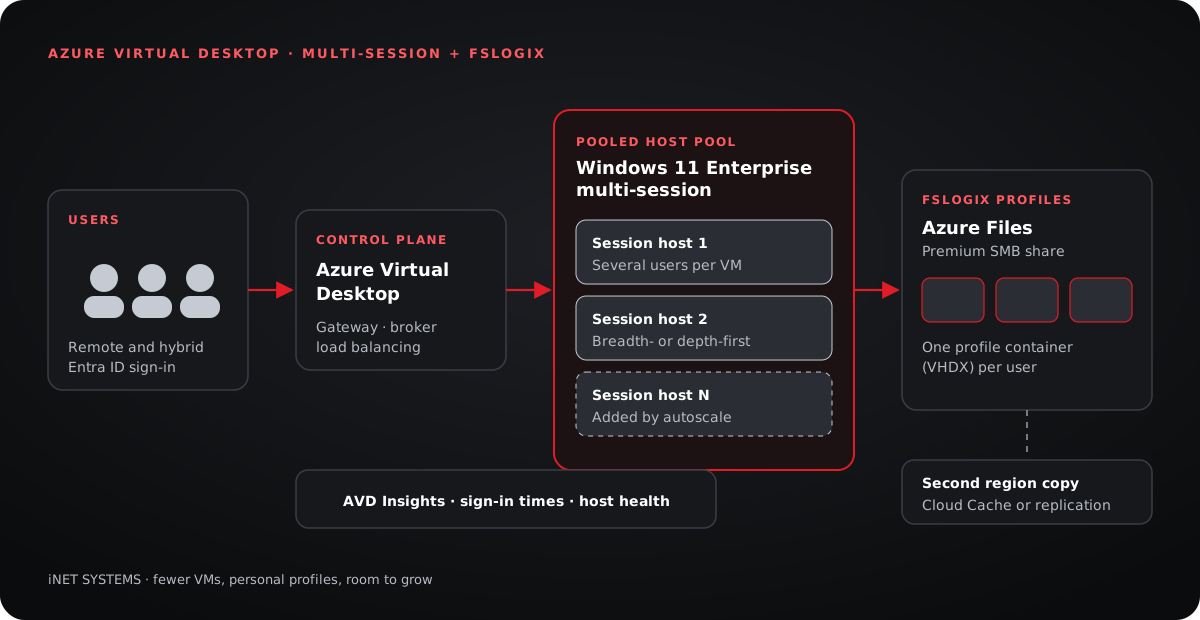
A pooled host pool runs Windows 11 Enterprise multi-session, which allows several users per VM. FSLogix stores each user’s profile in a virtual disk (a profile container) on a file share. When a user signs in, FSLogix attaches their disk, so their profile looks local, no matter which host they land on.
Step 1: Create the AVD environment
- Create a host pool with the Pooled type and a Windows 11 Enterprise multi-session image.
- Set a max session limit per host that fits the VM size and the workload.
- Add a workspace and an application group, then assign users through Microsoft Entra ID groups.
Step 2: Set up FSLogix profile containers
- Create an Azure Files share (premium tier for best sign-in speed) and join it to your identity source: Active Directory or Microsoft Entra Kerberos.
- Give users permission to create and use their own folder on the share.
- On each session host, set the FSLogix profile settings:
Enabled = 1,VHDLocationspointing to the share, andDeleteLocalProfileWhenVHDShouldApply = 1.
Step 3: Onboard and manage users
Add people to the Entra ID group tied to the application group, and they can sign in right away. Profiles are created on first sign-in, so there is no per-user setup on the hosts.
Better user experience and performance
Smart load balancing. Breadth-first spreads users evenly for the best experience; depth-first fills one host before starting the next, to save money.
Fast sign-ins. Exclude caches and temporary files from FSLogix profiles, so profiles and apps load quickly.
Scaling for growth
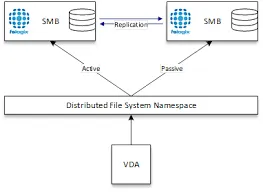
Add hosts to the pool as demand grows; FSLogix profiles follow users to any host. An AVD scaling plan starts hosts before the workday and shuts them down after hours. For resilience, keep a second copy of the profile share in another region, with FSLogix Cloud Cache or file share replication.
Proactive monitoring and maintenance
AVD Insights in Azure Monitor shows sign-in times, connection quality and host health. Alert on long sign-ins and full hosts, and keep host images patched on a regular schedule, so problems are fixed before users notice.
Conclusion
For remote and hybrid teams, AVD and FSLogix lead the way. Sharing session hosts across users, with a personal profile for each, gives organizations a workspace that is efficient, secure and easy to grow.
Planning a virtual desktop rollout?
We design and run Azure Virtual Desktop environments for teams of every size.